How to Access Your Benefit Verification Letter After Enrolling in Medicare
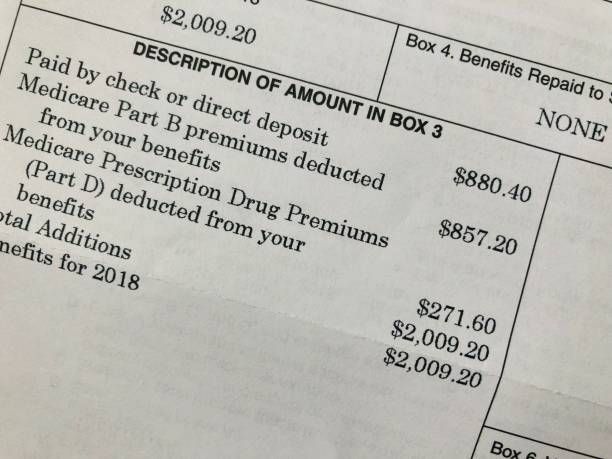
Once you enroll in Medicare, one of the most useful documents you may need is your Benefit Verification Letter. This letter serves as official proof of your Medicare enrollment and benefits, and it’s often required for things like financial assistance programs, insurance coordination, or verifying coverage details.
The good news? You can access it online in just a few minutes.
What Is a Medicare Benefit Verification Letter?
A Benefit Verification Letter is an official document from the Social Security Administration (SSA) that confirms:
- Your Medicare enrollment status
- The type of Medicare benefits you receive (Part A, Part B, or both)
- The date your coverage began
- In some cases, your monthly premium information
Even though Medicare is administered through the Centers for Medicare & Medicaid Services, enrollment records and verification letters are issued through the Social Security Administration.
When You Might Need It
You may be asked for your Benefit Verification Letter when:
- Applying for Medicaid or Medicare Savings Programs
- Enrolling in supplemental insurance (Medigap) or other coverage
- Verifying income-related Medicare premium adjustments
- Coordinating benefits with an employer or retirement plan
- Providing proof of Medicare enrollment for financial programs
How to Get Your Benefit Verification Letter Online
The fastest way to access your letter is through your my Social Security account.
Step 1: Log in or Create an Account
Go to the official Social Security website:
Social Security Administration
- Visit www.ssa.gov
- Sign in to your my Social Security account
- If you don’t have an account, you can create one using identity verification steps
Step 2: Navigate to “Proof of Benefits”
Once logged in:
- Select “Replacement Documents” or “Benefit Verification Letter”
- Click “Get a Benefit Verification Letter”
Step 3: Customize Your Letter (Optional)
You can choose to include or exclude certain details, such as:
- Medicare enrollment type
- Monthly benefit amount (if applicable)
- Date coverage began
Step 4: Download, Save, or Print
Your letter is generated instantly as a PDF. You can:
- Download it to your device
- Print it for mailing or in-person use
- Save it for future reference
What If You Don’t Have Online Access?
If you’re unable to access your account online, you can still request a letter by:
- Calling Social Security at 1-800-772-1213
- Visiting a local Social Security office
- Requesting it by mail (slower option)
Important Tip for Medicare Beneficiaries
Many people confuse Medicare.gov with Social Security for documents like this. While Centers for Medicare & Medicaid Services manages your health coverage, your official benefit verification documents come from Social Security, not Medicare directly.
Final Thoughts
Having your Benefit Verification Letter on hand can make Medicare transitions, insurance decisions, and financial applications much smoother. Setting up your online account early ensures you can access it anytime without delays.
Need help reviewing your Medicare coverage or understanding your benefits? Contact us today for a personalized consultation.